Real-Time HUD Translation
Shows live translations over video players and game windows, ideal for untranslated games and foreign media.
USTA continuously watches the region you choose with “sniping”, extracts text with OCR, and instantly shows the translation as an overlay on games, videos, manga, or your desktop.

Open-source screen translation
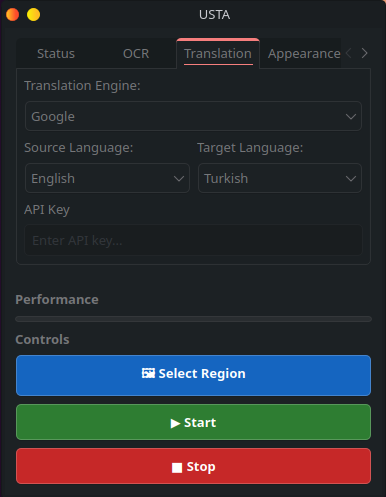
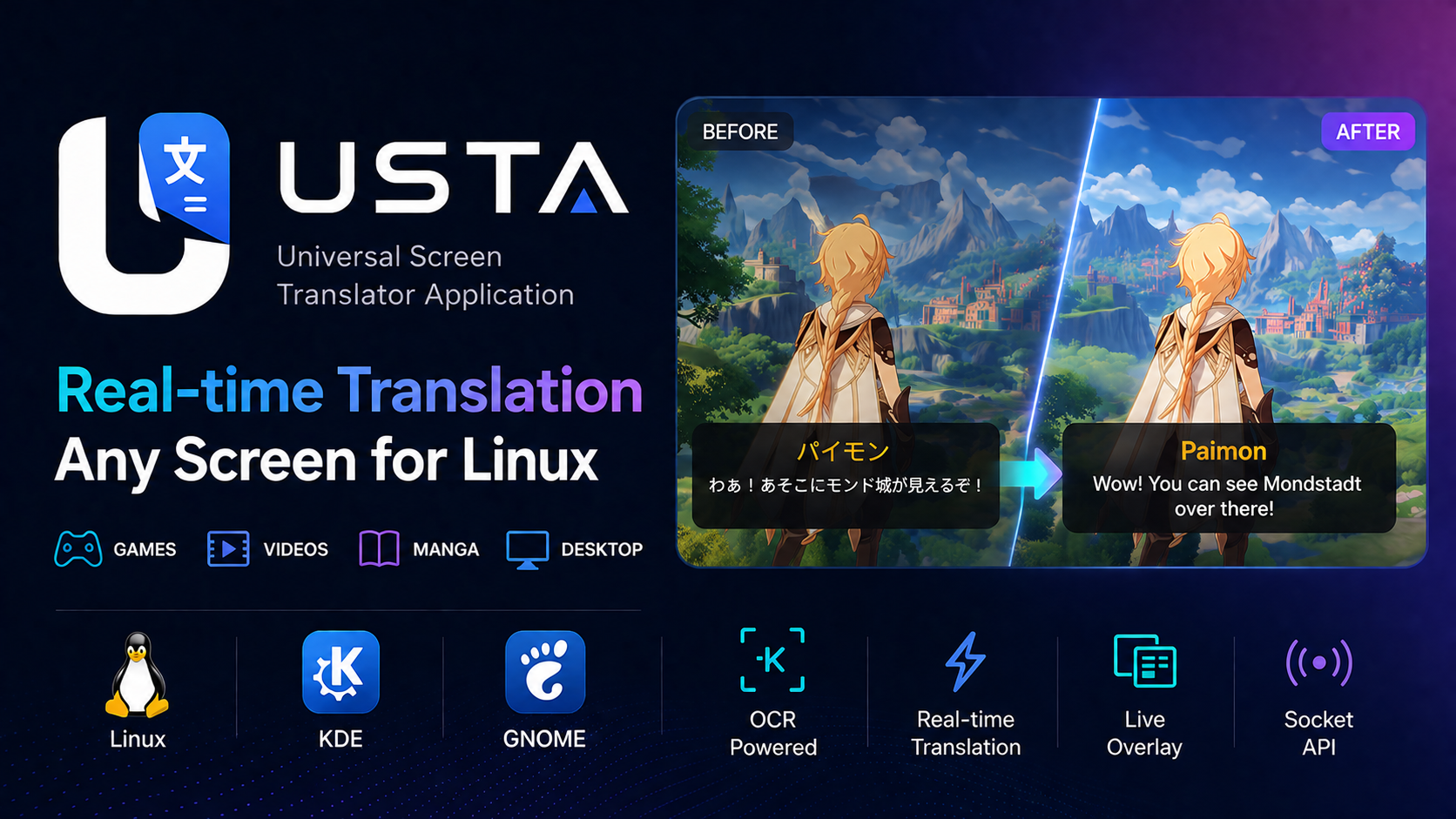
USTA is an open-source tool designed to make games, videos, and on-screen content instantly understandable across Linux desktops first, with broader operating-system support as a goal.
Shows live translations over video players and game windows, ideal for untranslated games and foreign media.
Developed with GNOME, KDE Plasma, and other Linux desktops in focus, while aiming to support other operating systems.
A modular region-selection system for targeting specific areas such as subtitles or speech bubbles.
An extensible OCR layer for accurate text extraction with back ends such as Tesseract and EasyOCR.
Context-aware translation flow with Google Translate and DeepL architecture. DeepL is currently untested.
Publishes each translation as a JSON line to a local Unix socket, providing real-time data for external tools.
A lightweight single-instance architecture enables fast control through background processes and CLI-based shortcuts.
USTA broadcasts every translation in real time through its built-in Unix Domain Socket server. This stream connects easily to OBS, TTS, transcript, and custom overlay scenarios.
/tmp/usta.sock
nc -U /tmp/usta.sock{
"original": "Hello world",
"translated": "Bonjour le monde",
"source": "en",
"target": "fr",
"engine": "Google",
"timestamp": 1717181234.56
}The required packages vary by operating system for OCR, screen capture, and desktop integration.
Aims to support GNOME, KDE Plasma, and other desktops on Linux, while expanding to different operating systems.
python-gobject, gst-plugin-pipewire, GStreamer base/good, PipeWire, xdg-desktop-portal, Tesseract, and language data packages.
python3-gobject, gstreamer1-plugin-pipewire, GStreamer base/good, PipeWire, xdg-desktop-portal, and Tesseract language packs.
Support goals for GNOME, KDE Plasma, other Linux desktops, and different operating systems.
Easy distribution with .deb, AUR, AppImage, and Flatpak.
Broader support across GNOME, KDE Plasma, and other Linux desktops.
Windows-native capture and OCR API integration.
macOS-native APIs and screen capture systems.
Open-source code, installation notes, releases, and development details are available in the GitHub repository.
Open on GitHubInstall the required desktop packages first, then download and run the USTA AppImage.
Before running the application, install the system packages required for OCR, PipeWire/GStreamer portal capture, and PyGObject integration.
For GNOME:
sudo pacman -S --needed \
  python-gobject \
  gst-plugin-pipewire \
  gst-plugins-base \
  gst-plugins-good \
  pipewire \
  xdg-desktop-portal \
  xdg-desktop-portal-gnome \
  tesseract \
  tesseract-data-rus \
  tesseract-data-ara \
  tesseract-data-heb \
  tesseract-data-tur \
  tesseract-data-vie \
  tesseract-data-tha \
  tesseract-data-spa \
  tesseract-data-jpn \
  tesseract-data-chi_sim \
  tesseract-data-chi_tra
For KDE Plasma:
sudo pacman -S --needed \
  python-gobject \
  gst-plugin-pipewire \
  gst-plugins-base \
  gst-plugins-good \
  pipewire \
  xdg-desktop-portal \
  xdg-desktop-portal-kde \
  tesseract \
  tesseract-data-rus \
  tesseract-data-ara \
  tesseract-data-heb \
  tesseract-data-tur \
  tesseract-data-vie \
  tesseract-data-tha \
  tesseract-data-spa \
  tesseract-data-jpn \
  tesseract-data-chi_sim \
tesseract-data-chi_traFor GNOME:
sudo dnf install -y \
  python3-gobject \
  gstreamer1-plugin-pipewire \
  gstreamer1-plugins-base \
  gstreamer1-plugins-good \
  pipewire \
  xdg-desktop-portal \
  xdg-desktop-portal-gnome \
  tesseract \
  tesseract-langpack-rus \
  tesseract-langpack-ara \
  tesseract-langpack-heb \
  tesseract-langpack-tur \
  tesseract-langpack-vie \
  tesseract-langpack-tha \
  tesseract-langpack-spa \
  tesseract-langpack-jpn \
  tesseract-langpack-chi_sim \
  tesseract-langpack-chi_tra
For KDE Plasma:
sudo dnf install -y \
  python3-gobject \
  gstreamer1-plugin-pipewire \
  gstreamer1-plugins-base \
  gstreamer1-plugins-good \
  pipewire \
  xdg-desktop-portal \
  xdg-desktop-portal-kde \
  tesseract \
  tesseract-langpack-rus \
  tesseract-langpack-ara \
  tesseract-langpack-heb \
  tesseract-langpack-tur \
  tesseract-langpack-vie \
  tesseract-langpack-tha \
  tesseract-langpack-spa \
  tesseract-langpack-jpn \
  tesseract-langpack-chi_sim \
tesseract-langpack-chi_traFor GNOME:
sudo apt update
sudo apt install -y \
  libfuse2 \
  python3-gi \
  python3-gi-cairo \
  gir1.2-gstreamer-1.0 \
  gir1.2-gst-plugins-base-1.0 \
  gstreamer1.0-pipewire \
  gstreamer1.0-plugins-base \
  gstreamer1.0-plugins-good \
  pipewire \
  xdg-desktop-portal \
  xdg-desktop-portal-gnome \
  tesseract-ocr \
  tesseract-ocr-rus \
  tesseract-ocr-ara \
  tesseract-ocr-heb \
  tesseract-ocr-tur \
  tesseract-ocr-vie \
  tesseract-ocr-tha \
  tesseract-ocr-spa \
  tesseract-ocr-jpn \
  tesseract-ocr-chi-sim \
  tesseract-ocr-chi-tra
For KDE Plasma:
sudo apt update
sudo apt install -y \
  libfuse2 \
  python3-gi \
  python3-gi-cairo \
  gir1.2-gstreamer-1.0 \
  gir1.2-gst-plugins-base-1.0 \
  gstreamer1.0-pipewire \
  gstreamer1.0-plugins-base \
  gstreamer1.0-plugins-good \
  pipewire \
  xdg-desktop-portal \
  xdg-desktop-portal-kde \
  tesseract-ocr \
  tesseract-ocr-rus \
  tesseract-ocr-ara \
  tesseract-ocr-heb \
  tesseract-ocr-tur \
  tesseract-ocr-vie \
  tesseract-ocr-tha \
  tesseract-ocr-spa \
  tesseract-ocr-jpn \
  tesseract-ocr-chi-sim \
  tesseract-ocr-chi-tra
AppImage note: Ubuntu GNOME requires the FUSE 2 compatibility package for AppImage files. Installlibfuse2to fixdlopen(): error loading libfuse.so.2. On some newer Ubuntu/Debian releases this package may be namedlibfuse2t64.
After downloading or building the AppImage, make it executable and run it (replace {version} with the current USTA version in the downloaded filename):
chmod +x USTA-{version}-x86_64.AppImage
./USTA-{version}-x86_64.AppImage
On Ubuntu/Debian, AppImage files require FUSE 2 support. If running the AppImage prints dlopen(): error loading libfuse.so.2, install the compatibility package:
sudo apt update
sudo apt install -y libfuse2
If your distribution only provides the renamed package, install libfuse2t64 instead.